Hardware Part II
Table of Contents
Overview
After solving the Hardware Part I challenge, Jewel Loggins has another task.
Introduction
Jewel Loggins
Next, we need to access the terminal and modify the access database. We're looking to grant access to card number 42.
Start by using the slh application—that's the key to getting into the access database. Problem is, the ‘slh' tool is password-protected, so we need to find it first.
Search the terminal thoroughly; passwords sometimes get left out in the open.
Once you've found it, modify the entry for card number 42 to grant access. Sounds simple, right? Let's get to it!
Hints
Hint 1: Hidden in Plain Sight
It is so important to keep sensitive data like passwords secure. Often times, when typing passwords into a CLI (Command Line Interface) they get added to log files and other easy to access locations. It makes it trivial to step back in history and identify the password.
Hint 2: It's In the Signature
I seem to remember there being a handy HMAC generator included in CyberChef.
Recon
Upon clicking the challenge icon, a terminal shows up with a boot menu.

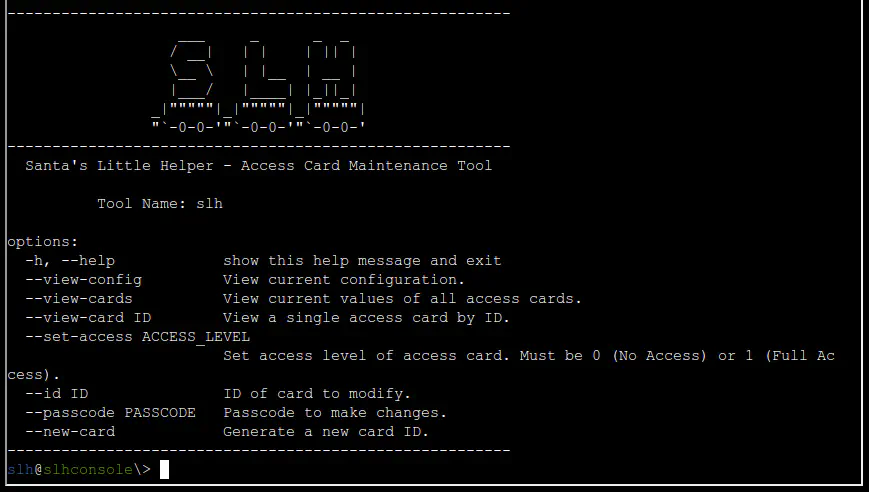
If we select Startup system, a terminal shows up with Santa's Little Helper, an Access Card Maintenance Tool.
Silver
Silver Analysis
The SLH help pages seems to indicate that we need to use the slh command with the correct flags.
Let's try --set-access 1 and --id 42 to grant Full Access to the card with ID 42.
Looks like we need to provide a passcode to make changes using the --passcode option.
Since the passcode needs to be provided as an argument in the command line, it is likely someone did it before and left the value in the history file. Let's check the command history.
slh@slhconsole\> history | grep passcode | grep -v grep
11 slh --passcode CandyCaneCrunch77 --set-access 1 --id 143
Silver Solution
Let's run the command again with the passcode.
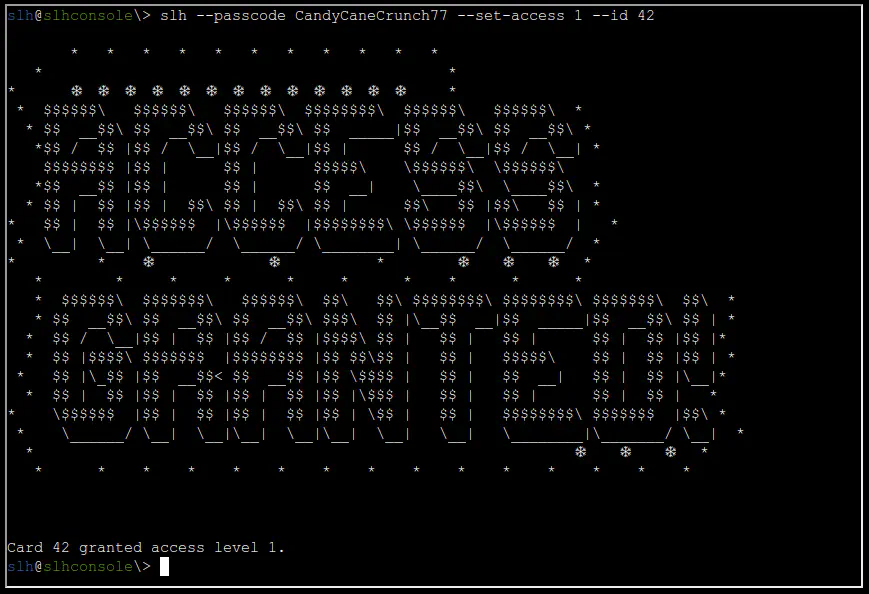
We got granted access and the silver medal!
Gold
Wow! You're amazing at this! Clever move finding the password in the command history. It's a good reminder about keeping sensitive information secure…
There's a tougher route if you're up for the challenge to earn the Gold medal. It involves directly modifying the database and generating your own HMAC signature.
I know you can do it—come back once you've cracked it!
Gold Analysis
Let's look around to find the database. We can start by listing the directory.
slh@slhconsole\> ls -lA
total 140
-r--r--r-- 1 slh  slh     518 Oct 16 23:52 .bash_history
-r--r--r-- 1 slh  slh    3897 Sep 23 20:02 .bashrc
-r--r--r-- 1 slh  slh     807 Sep 23 20:02 .profile
-rw-r--r-- 1 root root 131072 Nov 13 14:44 access_card
The “access_cards” file looks interesting. Let's check what kind of file it is.
access_card: SQLite 3.x database, last written using SQLite version 3040001, file counter 4, database pages 32, cookie 0x2, schema 4, UTF-8, version-valid-for 4
It is an SQLite 3 database file. Let's open it using sqlite3.
Let's list the tables in the database using .tables.
Let's explore the schema (table layout) of the tables using .schema.
sqlite> .schema
CREATE TABLE access_cards (
            id INTEGER PRIMARY KEY,
            uuid TEXT,
            access INTEGER,
            sig TEXT
        );
CREATE TABLE config (
            id INTEGER PRIMARY KEY,
            config_key TEXT UNIQUE,
            config_value TEXT
        );
Let's retrieve detailed information about all columns within each database table using PRAGMA table_info(table-name).
sqlite> PRAGMA table_info('access_cards');
0|id|INTEGER|0||1
1|uuid|TEXT|0||0
2|access|INTEGER|0||0
3|sig|TEXT|0||0
sqlite> PRAGMA table_info('config');
0|id|INTEGER|0||1
1|config_key|TEXT|0||0
2|config_value|TEXT|0||0
Now that we know the schema and details of the access_cards table, let's create a query to get the current values of the card with id 42.
sqlite> SELECT * FROM access_cards WHERE id = 42;
42|c06018b6-5e80-4395-ab71-ae5124560189|0|ecb9de15a057305e5887502d46d434c9394f5ed7ef1a51d2930ad786b02f6ffd
| id | uuid | access | sig |
|---|---|---|---|
42 |
c06018b6-5e80-4395-ab71-ae5124560189 |
0 |
ecb9de15a057305e5887502d46d434c9394f5ed7ef1a51d2930ad786b02f6ffd |
The goal is to set the access value to 1. The challenge in this case is that we also need to generate a new HMAC signature for the sig value.
We need to find out the input for the HMAC algorithm, i.e., the input format, a key, and the hashing function.
The hashing function can be inferred from the current hash. Judging by the length and type it's likely SHA256, and any hash identifier will confirm that. For the other values, let's check the config table.
sqlite> SELECT * FROM config;
1|hmac_secret|9ed1515819dec61fd361d5fdabb57f41ecce1a5fe1fe263b98c0d6943b9b232e
2|hmac_message_format|{access}{uuid}
3|admin_password|3a40ae3f3fd57b2a4513cca783609589dbe51ce5e69739a33141c5717c20c9c1
4|app_version|1.0
| id | config_key | config_value |
|---|---|---|
1 |
hmac_secret |
9ed1515819dec61fd361d5fdabb57f41ecce1a5fe1fe263b98c0d6943b9b232e |
2 |
hmac_message_format |
{access}{uuid} |
3 |
admin_password |
3a40ae3f3fd57b2a4513cca783609589dbe51ce5e69739a33141c5717c20c9c1 |
4 |
app_version |
1.0 |
This table provides the key and input format.
Note
The hmac_secret looks like a Hex value, but it is actually UTF-8.
Gold Solution
We need to run the following SQL query with the new generated signature:
The values to use for the new signature are:
| HMAC Key | HMAC Key Format | Hashing Function | Input {access}{uuid} |
|---|---|---|---|
9ed1515819dec61fd361d5fdabb57f41ecce1a5fe1fe263b98c0d6943b9b232e |
UTF8 |
SHA256 |
1c06018b6-5e80-4395-ab71-ae5124560189 |
We can use the confirm_hmac.py Python script to generate the new signature.
As a redundancy, let's also plug the values into CyberChef to generate the new signature.
The output is: 135a32d5026c5628b1753e6c67015c0f04e26051ef7391c2552de2816b1b7096
Let's run the SQL query to update the row in the database:
sqlite> UPDATE access_cards SET access = 1, sig = "135a32d5026c5628b1753e6c67015c0f04e26051ef7391c2552de2816b1b7096" WHERE id = 42;
After running it and waiting for a few seconds, we get the gold medal!
Outro
Jewel Loggins
Brilliant work! We now have access to... the Wish List! I couldn't have done it without you—thank you so much!
Files
| File | Description |
|---|---|
confirm_hmac.py |
Python script to generate and verify the HMAC-SHA256 signature for a given access/uuid pair |
References
ctf-techniques/post-exploitation/linux/— Linux enumeration including bash history credential hunting- CyberChef HMAC generator
- SQLite documentation
- Python hmac module
- UART protocol overview
Navigation
| ← Hardware Part I |